
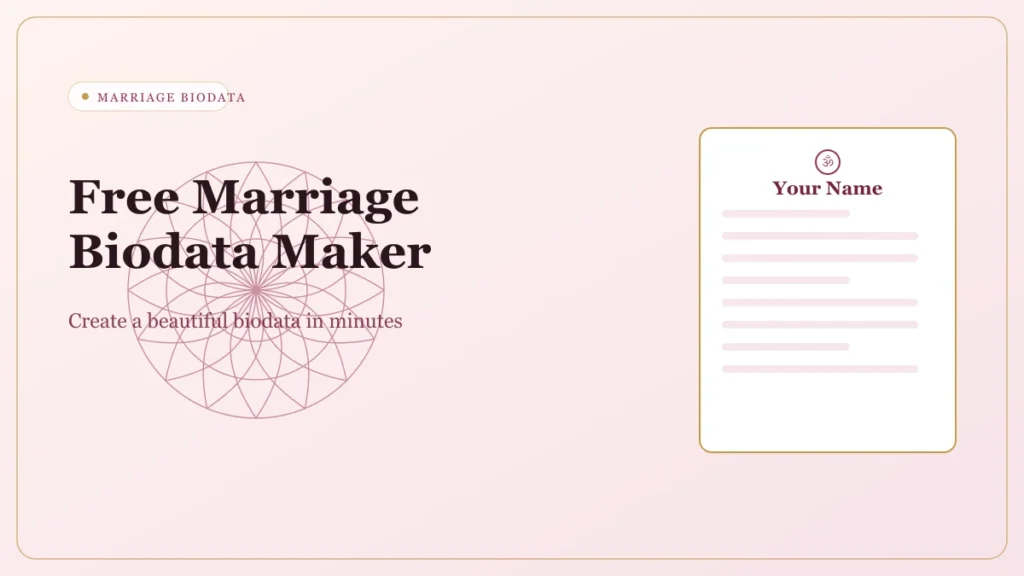
Free Marriage Biodata Maker: Create Perfect Biodata for Marriage
Before any family meeting, one document is requested first — the marriage biodata. It’s the formal first impression your family puts forward. Build a complete, accurate, beautifully-designed one in under five minutes.
What is a marriage biodata?
A one or two-page document shared between families during the arranged marriage process in India — personal details, family background, education, profession, astrology (for Hindu families) and contact details.
“A biodata tells a family who you are as a person. A resume tells an employer what you can do.”
Who needs a marriage biodata?
Anyone going through the arranged marriage process in India.
Even if you’re primarily on a matrimonial website, families still ask for a standalone biodata PDF during the
introduction stage. Having one ready is expected.
If you are creating a profile for a prospective bride, use our specialized biodata format for marriage for girl to elegantly highlight her educational and family background.
What information does it contain?
A well-structured biodata has three sections — here’s exactly what belongs in each.
Personal Details
- Full name
- Date of birth (DD/MM/YYYY)
- Time & place of birth
- Religion
- Caste & sub-caste (if applicable)
- Gotra, Rashi, Nakshatra
- Manglik status
- Height, weight, complexion, blood group
- Languages known
- Education (degree, institution, year)
- Occupation & annual income
Family Details
- Father's name & occupation
- Mother's name & occupation
- Brothers & sisters (married count)
- Family type: nuclear or joint
- Native hometown
- Kuladevata / family deity
- Paternal & maternal gotra
- Family business / NRI status
Contact Details
- Contact person's name (usually a parent)
- Mobile number (parent's first)
- Email address (optional)
- City & state initially; full address only once trust is established
How to create a marriage biodata online
Under five minutes. No account or design experience needed.
Open the free biodata maker
Open the Biodata Studio at the top of the page — no account or design experience needed.
Select your language
Choose English, Hindi, Marathi, Gujarati, Tamil, Telugu, Bengali, Kannada, Punjabi or Urdu.
Upload your photo
Optional but strongly recommended — up to 20MB, cropped in your browser.
Fill in personal details
Name, date of birth, religion, education and occupation.
Fill in family details
Parents’ names, occupations and sibling information.
Add contact details
Contact person name, mobile number and city & state.
Choose a template
Browse 20+ marriage biodata templates and re-skin live without losing data.
Preview your biodata
Check the live A4 preview before downloading.
Download or share
Download as PDF or Word, or send it directly to WhatsApp.
We also provide a complete muslim marriage biodata template designed with essential Islamic marriage details and religious preferences.
Fill every field even if some feel optional — a complete biodata gets significantly better responses.
A great “About Me”
The only place in the biodata where your personality comes through. Keep it to 4–6
honest lines.
I work as a software engineer in Pune and grew up in a close-knit family in Nashik. I enjoy cooking, long drives, and following cricket seriously. I value family time and believe in maintaining strong relationships. I am looking for someone who is warm, has a sense of humour, and is open to building a life that balances career and family.
For localized language preferences, you can easily create and download your profile using our marriage biodata in marathi format.
Include
- Personality in 1–2 honest lines
- 2–3 specific hobbies
- Lifestyle: veg/non-veg, practice, city vs hometown
- What you’re looking for, briefly & positively
Include
- Personality in 1–2 honest lines
- 2–3 specific hobbies
- Lifestyle: veg/non-veg, practice, city vs hometown
- What you’re looking for, briefly & positively
Write partner expectations without sounding rigid
A few specific, honest lines work better than a long checklist no real person could meet.
- Over-specifying height, complexion or weight
- “Must be from a reputed family” with no context
- Repeating traits already in your own biodata
Choose the right template
Before they read a word, the reader has already formed an impression from the
design.
Personal Details
Personal Details
Personal Details
Personal Details
Personal Details
Personal Details
Personal Details
Personal Details
Single-page
Two-page
PDF vs Word vs PNG
The right choice depends on how you’ll share.
WhatsApp, email & matrimonial websites
Fixed layout — looks identical on every device.
Word
Printing locally, editing offline, agents
Editable .docx for ongoing changes.
PNG / Image
WhatsApp groups & family chats
Easy to view without opening a file.
How to share your biodata
Creating it is only half the work — sharing it correctly matters just as much.
- Tap attachment → Document (not photo)
- Photo option compresses & reduces quality
- PDF renders cleanly without distortion
- Attach the PDF
- Subject: Biodata [Full Name] [Community]
- Keep the body to 2–3 respectful sentences
Matrimonial sites
- Use it as a reference for the site's profile form
- Families still ask for a standalone PDF
- Always keep the PDF ready
Agents & networks
- Print on A4, high-quality paper
- Carry 5–10 copies for visits & events
- Agents reshare through their networks
Features of our biodata maker
Built for Indian families across all communities and states.
20+ templates
Professionally designed for every community and style.
10 languages
English, Hindi, Marathi, Gujarati, Tamil, Telugu, Kannada, Bengali, Punjabi & Urdu.
PDF · Word · PNG
Download in the format that fits how you’ll share.
WhatsApp in one tap
Send the generated file straight to WhatsApp.
Photo upload & crop
Crop to the template, all in your browser.
Custom fields
Add the fields your community uses, reorder freely.
Works on mobile
No app download — any modern browser.
No signup
Open, fill, download. Nothing stored on a server.
Free + premium
Free downloads with no hidden charges.
QR on select templates
Share a contact QR generated on your device.
Types of marriage biodata format
The right type depends on your design preference, community and language.
Single-page
WhatsApp.
Multi-page
With photo
Without photo
Hindu
Christian
Jain
Muslim (rishta)
Sikh
Buddhist
All-India, NRIs, urban families
Karnataka
Biodata format for a girl
Floral, elegant templates in rose, mauve gold or soft pink are popular for brides.
Families check first
- Full education: degree, institution and year — never skip it
- Current occupation or career (leaving it blank is a common mistake)
- Family background and values
- A strong About Me — families read it more closely
- Manglik status for Hindu families — state it clearly
- Clear, specific, friendly partner expectations
- A recent, professional photo
Common mistakes
- Skipping job title or education because “it doesn't matter”
- Leaving About Me blank or pasting a generic line
- Not mentioning manglik status in a Hindu biodata
- Using an old photo or a casual selfie
- Overly long partner expectations that read like conditions
- No contact person listed
Biodata format for a boy
Structured, clean layouts in navy, royal blue or minimal black work well — read with career and stability as the first lens.
Families check first
- Job title, employer name and city of work
- Annual income (optional but expected in most communities)
- Education: degree and institution name, not just the degree
- Government employees: department, grade and designation
- Business owners: nature and scale of the business
- NRI status: country of residence and visa/residency type
- Family background: nuclear or joint, parents' occupations, hometown
Common mistakes
- Writing “good income” or leaving income blank when a range is expected
- Not mentioning NRI status when living or working abroad
- Listing only the highest degree without the institution
- Missing gotra or manglik status in a Hindu biodata
- No photo — boys' biodatas also get better responses with one
- Vague occupation like “working in a company”
Lorem ipsum dolor sit amet, consectetur adipiscing elit. Ut elit tellus, luctus nec ullamcorper mattis, pulvinar dapibus leo.
“In the arranged marriage process across India, the biodata is the first formal filter.”
-
Creates a professional first impression before any
meeting
-
Saves time by filtering poor matches
early
- Expected in most Indian communities — arriving without one signals unpreparedness
- Helps families quickly assess compatibility on age, religion, education and profession
- Works across every channel: WhatsApp, email, agents and matrimonial websites
-
Stays useful even when you're active on matrimonial
websites
Types of marriage biodata format
Families seeking traditional layouts can download our specific hindu marriage biodata format, featuring dedicated sections for Gotra, Rashi, and Nakshatra.
The right type depends on your design preference, community and language.
Marriage biodata vs job resume vs
CV
Sending the wrong one creates an awkward first impression.
| Feature | Marriage Biodata | Job Resume | CV |
|---|---|---|---|
| Purpose | Find a life partner | Apply for a job | Academic / research application |
| Family details included? | Yes | No | No |
| Horoscope / rashi included? | Yes, for Hindu families | No | No |
| Length | 1–2 pages | 1–2 pages | 2 or more pages |
| Shared via | WhatsApp, email, agents | Job portals, email | University & academic portals |
| Includes income? | Sometimes (grooms) | No | No |
“A resume says “hire me for my skills.” A biodata says
“here is who I am as a person and as part of a family.””
Common mistakes to avoid
Small errors in a biodata can cost a good match.
- Incomplete sections
Missing gotra, manglik status or family occupation raises questions immediately.
- Outdated photo
Use a photo from the last 1–2 years — not a passport or group photo.
- Vague occupation
“Working in IT” isn’t enough — write “Software Engineer at [Company], Bengaluru”.
- No income information
Families expect at least a range for grooms’ biodatas.
- Rigid partner expectations
A list of ten-plus requirements reads as difficult and reduces responses.
- Wrong language for the audience
An English-only biodata to a Marathi-speaking family gets a weaker response.
- Spelling & grammar errors
Get a second person to read it before you send it.
- Sending a job resume instead
Different document, different audience, different expectations.
- No contact person listed
Always state who to contact — usually a parent.
Tips to make your biodata stand out
Most biodatas look nearly identical — a few deliberate choices make yours memorable.
Most biodatas look nearly identical — a few deliberate choices make yours memorable.
Save and send with a clean filename: FirstName_LastName_Biodata.pdf.
Choose a template that matches your community’s expectations.
Be honest about income, manglik status and education.
Write the About Me section yourself — generic lines get skipped.
NRIs: mention country of residence early, not at the
end.
Fill every field — blank fields look like something is being hidden.
edits.
Frequently Asked Questions
Everything people ask about cursive font generators. Search or click any question to expand the answer.
What is the difference between a marriage biodata and a matrimonial profile?
Is a marriage biodata and a marriage resume the same thing?
How long should a marriage biodata be?
Should I include my Aadhaar or PAN number in my biodata?
Can I create a marriage biodata in Marathi?
Which format is better, PDF or Word?
Do biodatas with photos get more responses?
Is it necessary to mention caste in a marriage biodata?
What is the correct biodata format for a Hindu marriage?
Ready to create your biodata for marriage?
Create a biodata that clearly and honestly introduces you
and your family. Choose your template, fill in your details, and download your
PDF — done in under five minutes.
