Bold Text Generator – Copy & Paste Bold Font for Instagram, Discord & More
Turn plain text into 𝗯𝗼𝗹𝗱 Unicode in seconds — then copy and paste it into Instagram, Discord, Twitter and more. Free, no download.
Bold Text Generator
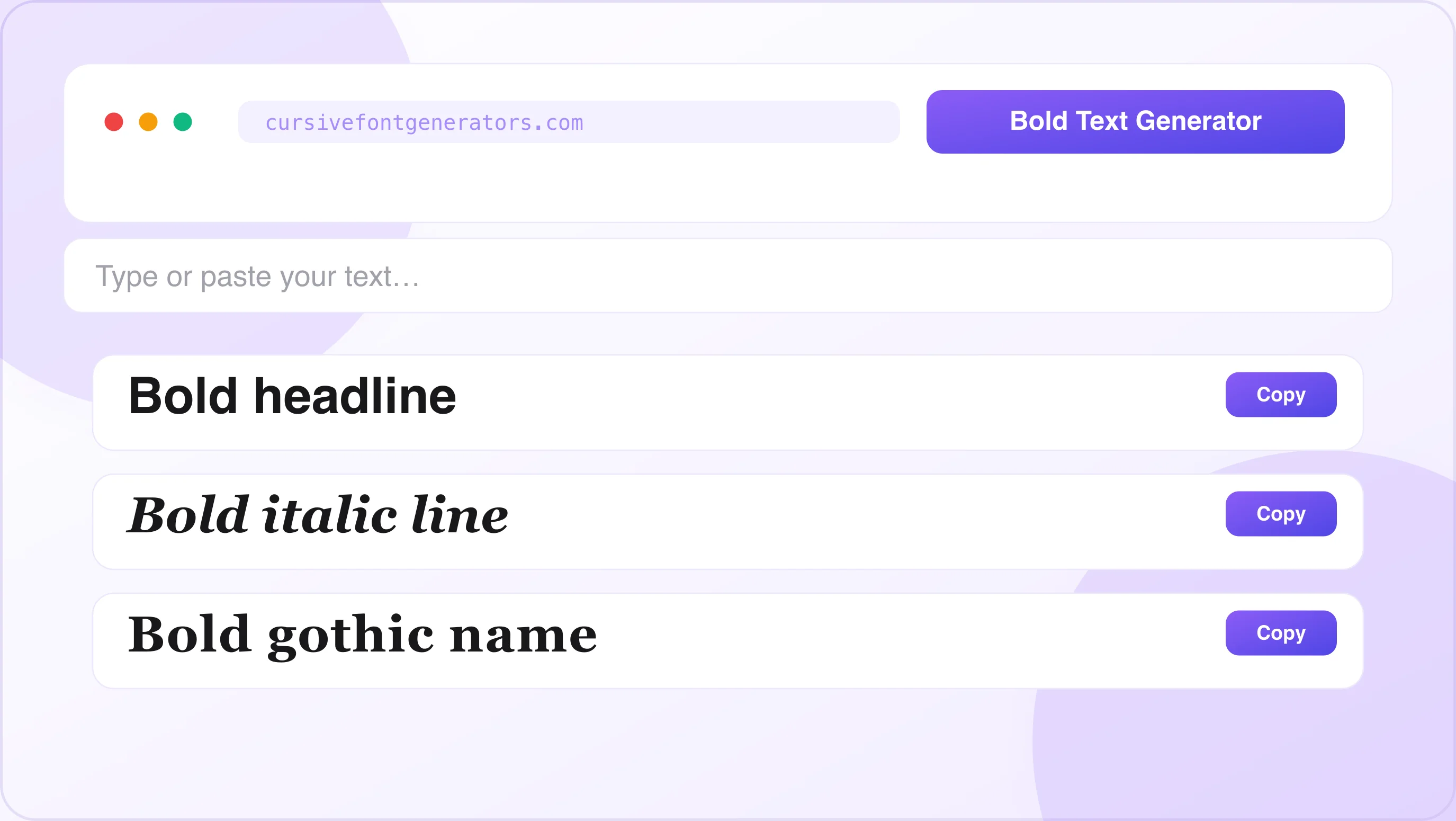
Type below and the bold font generator instantly previews your text in multiple bold Unicode styles. Click Copy next to any style, then paste it anywhere.
What Is a Bold Text Generator?
A bold text generator is a free online tool that converts your normal text into bold-styled characters you can copy and paste anywhere. You type a word or sentence, the tool transforms it into bold Unicode text, and you paste it wherever you want — instantly.
It sounds simple, but there's an important reason why this works when regular bold formatting doesn't. Most social media platforms — Instagram, Discord, Twitter — don't allow you to apply fonts or bold formatting inside bios, usernames, or captions the way you can in Microsoft Word. So the bold text generator works around this limitation using something called Unicode.
What Is Unicode and Why Does It Make Bold Text Work Everywhere?
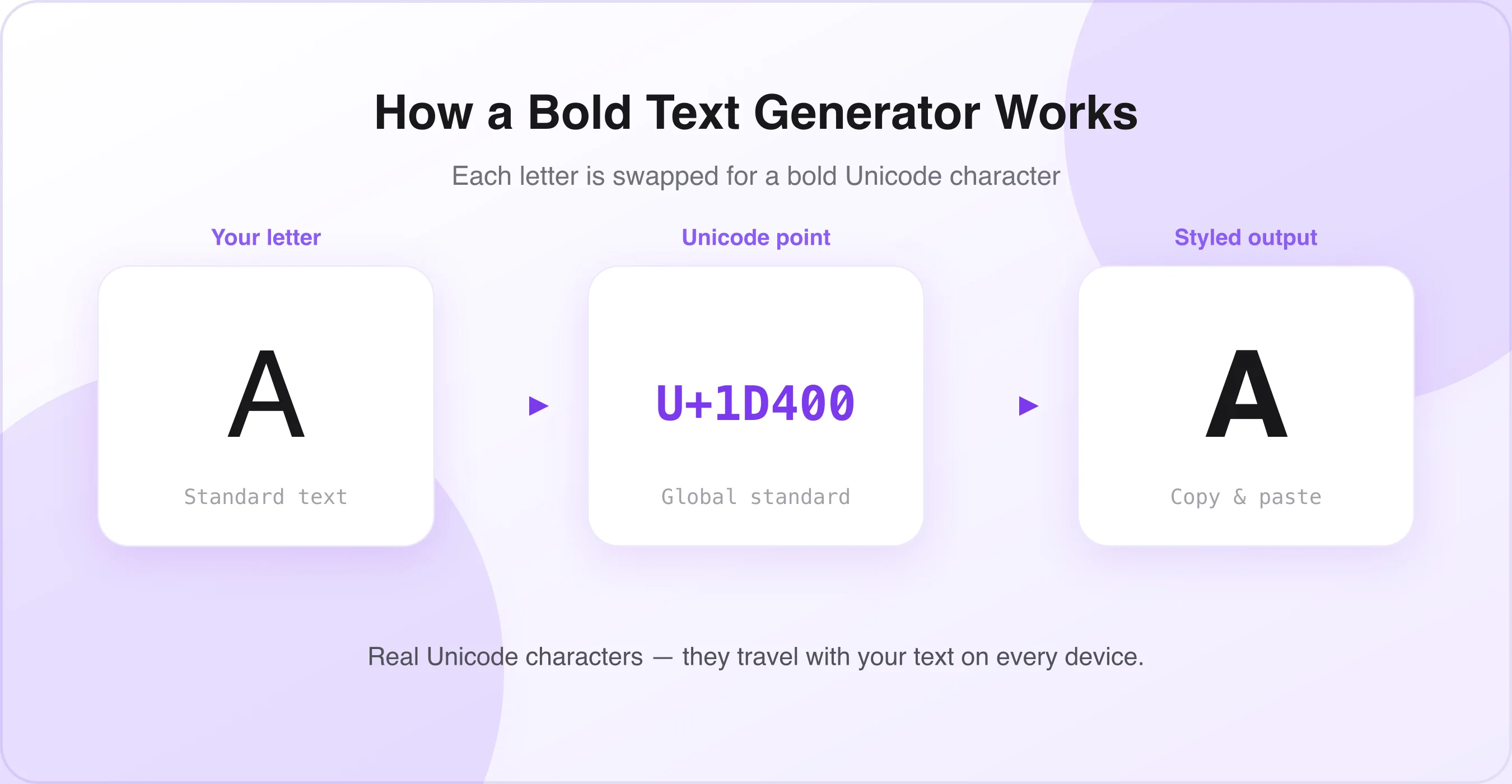
Unicode is a global text encoding standard that assigns a unique code to every character used in every language and writing system on Earth. Within Unicode, there are entire sets of characters that look like bold letters but are technically separate characters — not formatted text.
That's the key. When you generate bold text using a bold font generator, you're not applying a formatting style. You're actually replacing regular letters with different Unicode characters that happen to look bold. Because these are real characters — not font styles — they travel with your text everywhere you paste them and display correctly on virtually every device, browser, and app.
That's why you can paste bold text into your Instagram bio and it stays bold. Copy it into a Discord message and it stays bold. Send it in a WhatsApp chat and it stays bold. No plugin, no app, no download required. Curious how this actually works under the hood? See is a cursive font generator safe? for the full Unicode explanation.
Bold Text Generator – Copy & Paste Preview (Unicode Styles)
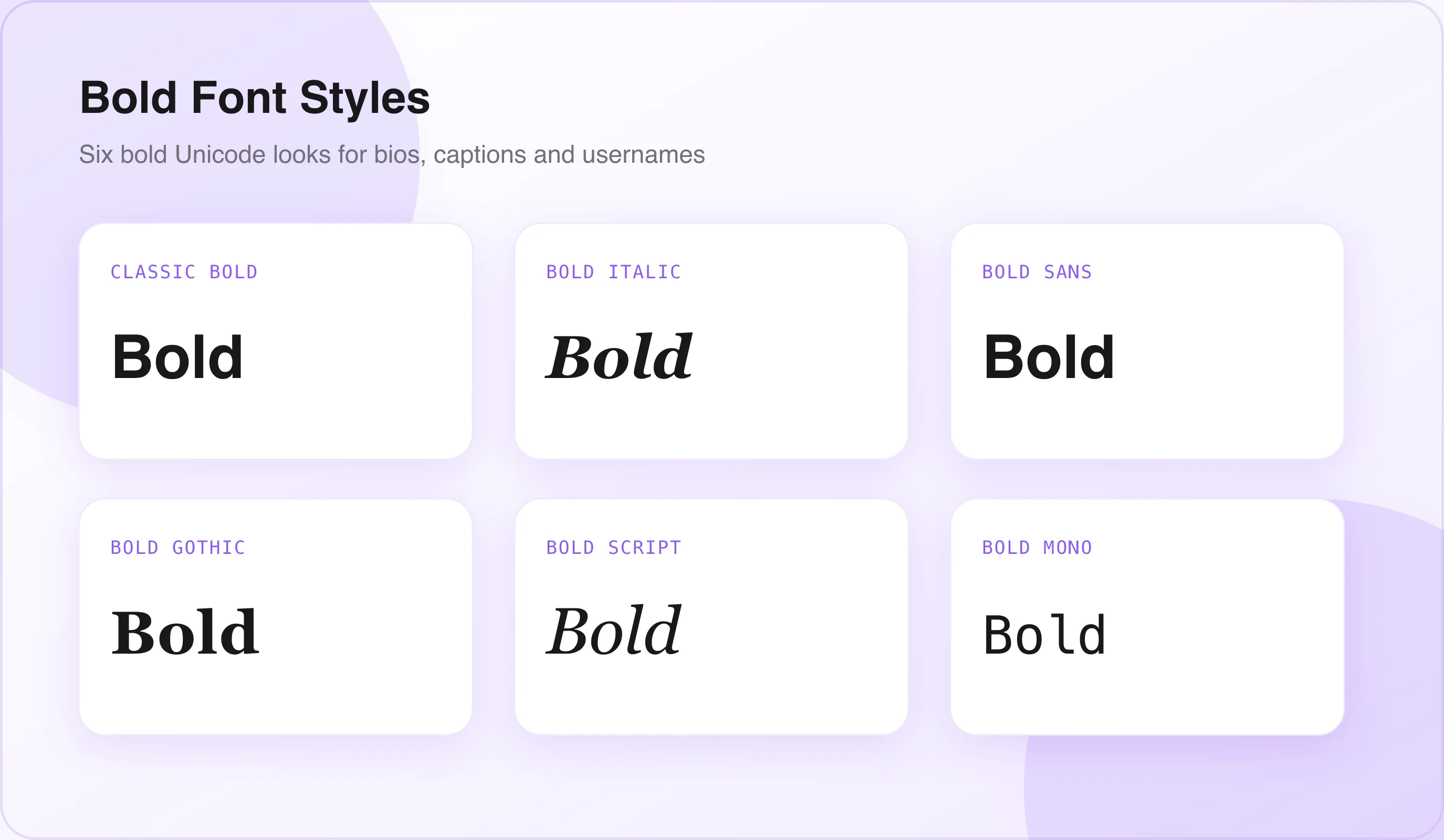
Here are the most popular bold text styles you can generate with a bold font generator:
Each of these styles is produced by a bold text generator using Unicode characters. You can copy any of them and paste directly into any text field on any platform.
How to Use a Bold Text Generator – Step-by-Step Guide
Using a bold font generator takes less than 30 seconds. Here's exactly how it works:
Open the Bold Text Generator Tool
Go to a bold text generator tool (like the one on this page). No account, login, or download is needed. The tool works directly in your browser on any device — phone, tablet, or desktop.
Type Your Text
Click into the text input field and type the word, phrase, or sentence you want to make bold. You can type anything — your name, a bio line, a caption, a username, or a full sentence.
Browse the Bold Font Styles
As you type, the bold font generator instantly previews your text in multiple bold Unicode styles. Scroll through the options and find the one that fits your needs. Classic bold is the most readable. Bold italic adds personality. Bold Gothic gives a dramatic, editorial look.
Click Copy
Once you find the style you like, click the Copy button next to it. Your bold text is now on your clipboard — ready to paste anywhere.
Paste Your Bold Text Anywhere
Open the platform you want to use — Instagram, Discord, Facebook, Twitter, WhatsApp, LinkedIn, TikTok, or anything else — and paste. Your bold text appears exactly as you copied it, on every device.
Where to Use Bold Text – Platform-by-Platform Guide
Bold text works differently on each platform. Here's a full guide to using your bold font generator across every major app and website.
Instagram — Bio, Captions & Username
Instagram does not let you change fonts natively. The app gives you one font and no formatting options for your bio or captions. That's exactly why the bold text generator is so valuable for Instagram users — pair it with our Instagram Font Generator for even more bio and caption styles.
- Bio: Paste bold Unicode text directly into the bio field when editing your profile. It displays perfectly on every device.
- Captions: Type your caption, then add bold words or lines using copy-pasted Unicode bold text. Great for emphasizing key phrases.
- Name field: Your display name can also use bold Unicode characters for a standout look.
- Story text: If you're adding text manually over a story, bold Unicode characters paste in just like regular text.
- Highlight titles: Rename your story highlights using bold text for a cleaner, more polished profile look.
Classic Bold (𝐋𝐢𝐤𝐞 𝐓𝐡𝐢𝐬) works best for Instagram bios because it stays readable. Bold Italic (𝑳𝒊𝒌𝒆 𝑻𝒉𝒊𝒔) adds style for caption hooks. Avoid heavy decorative styles in the bio field — they can hurt readability on small mobile screens.
Discord — Username, Bio & Messages
Discord has its own built-in markdown formatting — you can wrap text in **asterisks** to make it bold within messages. But this markdown formatting only works inside Discord messages. It does NOT work in usernames, server names, bio fields, or status messages.
That's where the bold text generator fills the gap.
- Username: Your Discord display name can use bold Unicode characters to stand out in server member lists.
- Bio (About Me): Paste bold text into your About Me section to highlight key info.
- Server name: If you own a server, bold Unicode characters in the name make it look more professional.
- Status message: Your custom status can include bold text for extra personality.
- Messages (quick option): Use the generator for bold text in messages instead of markdown if you want a specific visual style.
Bold Sans-Serif (𝗟𝗶𝗸𝗲 𝗧𝗵𝗶𝘀) is clean and modern — perfect for Discord usernames. Bold Gothic (𝕷𝖎𝖐𝖊 𝕿𝖍𝖎𝖘) is popular for gaming server names and gives a dramatic, powerful look.
Facebook — Posts, Bio & Comments
Facebook does support some limited text formatting in posts, but it's inconsistent and only available through third-party post composers. For bios, About sections, and comments, Facebook offers zero native bold formatting.
- About / Bio section: Paste bold Unicode text into the About Me field on your profile.
- Post text: Add bold phrases to your post to draw attention to key points.
- Comments: Bold text in comments makes your replies stand out in long threads.
- Page descriptions: Business and creator pages can use bold text in their description field.
- Event descriptions: Bold headings inside event descriptions make information easier to scan.
Twitter / X — Tweets, Bio & Display Name
Twitter (now X) compresses all text into the same font. Your tweets, bio, and display name all look identical to everyone else's — unless you use a bold font generator.
- Bio: Bold Unicode text in your Twitter bio makes your profile more eye-catching and memorable.
- Display name: Your name field at the top of your profile can include bold characters.
- Tweets: Use bold text to emphasize the key phrase or hook in a tweet to stop people from scrolling.
- Pinned tweet: Make your pinned tweet's opening line bold — it's the first thing visitors see.
Pro tip: Keep bold text in tweets limited to one or two key phrases. Overusing it makes tweets harder to read and can feel spammy.
WhatsApp — Messages & Status
WhatsApp has built-in bold formatting. You can wrap any text in *asterisks* and it appears bold in messages. However, this markdown only works within WhatsApp messages — not in your name, bio, or About field.
- About field: Your WhatsApp "About" status (the line under your name) can display bold Unicode text.
- Display name: Your WhatsApp profile name can include bold Unicode characters.
- Broadcast messages: Bold key lines in important announcements or group messages.
TikTok — Username & Bio
TikTok's bio and username fields accept Unicode characters. Bold text in your TikTok bio makes your profile look more professional and polished compared to the default single-weight text everyone else uses.
- Bio: Paste bold Unicode text into your TikTok profile bio for a standout look.
- Username / nickname: Your display name can include bold-style Unicode characters.
- Video captions: If you're adding text manually to a video description, bold Unicode text works there too.
LinkedIn — Headline, Bio & Posts
LinkedIn is one of the best platforms for bold text use. Because it's a professional network where everyone's profile looks nearly identical, bold text in the right places makes you immediately stand out.
- Headline: Your LinkedIn headline appears directly under your name in search results and on your profile. A bold key phrase makes it more memorable.
- About section: Use bold text to highlight your specialization, achievements, or key skills.
- Posts and articles: Bold opening lines in LinkedIn posts dramatically improve the chance people stop scrolling to read.
- Job title and company name fields: These also accept Unicode characters.

Bold Text Generator vs. Regular Bold Formatting – What's the Difference?
This is one of the most common questions. Here's a clear breakdown:
Regular Bold Formatting (Ctrl+B / Markdown)
Regular bold formatting — the kind you apply with Ctrl+B in Word or **asterisks** in Discord — is a text styling instruction attached to normal letters. It tells the software rendering the text to display those letters in a heavier weight using whatever bold font is installed.
The problem: when you copy this formatted text and paste it into a different platform, the styling instruction is stripped. The platform ignores the formatting and displays plain text. That's why copying a bold word from a Word document and pasting it into Instagram gives you regular text.
Unicode Bold Text (From a Bold Font Generator)
Unicode bold text is fundamentally different. The letters themselves are different characters — not the same letters with a style applied. Because they're actual Unicode characters (not formatting instructions), they travel with your text everywhere you paste them.
| Regular Bold (Ctrl+B / Markdown) | Unicode Bold (Generator) | |
|---|---|---|
| What it is | A styling instruction on normal letters | Actually different characters |
| Survives copy-paste | No — formatting is stripped | Yes — travels with the text |
| Works in bios & usernames | No | Yes |
| Needs an install | Uses installed fonts | No install needed |
Bold Text Styles Explained – Which One Should You Use?
A good bold font generator gives you multiple bold styles. Here's what each one is best for:
Classic Bold
The closest Unicode equivalent to standard bold text. It looks clean, professional, and familiar. This is the most readable bold style and works for virtually every use case — bios, captions, usernames, headlines, and professional profiles.
Best for: Instagram bio, LinkedIn headline, Facebook About section, Twitter bio.
Bold Italic
Bold and italic combined gives a slightly more stylized, editorial look. It's expressive without being too decorative. Great for adding personality while keeping text legible.
Best for: Instagram captions, creative bio lines, tweet hooks, TikTok bio.
Bold Sans-Serif
A heavier, more modern-looking bold style. The sans-serif structure gives it a clean, contemporary feel — popular with minimalist and tech-oriented users.
Best for: Discord usernames, professional LinkedIn posts, Twitter display names.
Bold Italic Sans-Serif
A dynamic, slightly sporty look. The combination of weight and slant makes words feel active and energetic.
Best for: Fitness, sports, or lifestyle accounts. Great for emphasis in captions.
Bold Gothic / Blackletter
The most dramatic bold style. Inspired by medieval manuscript lettering, Blackletter or Gothic bold text is eye-catching and powerful. It's less readable at small sizes, so use it for short words or names only.
Best for: Gaming usernames, Discord server names, music accounts, tattoo-style branding.
Bold Calligraphy
Bold weight combined with a flowing, script-like calligraphy style. Elegant and feminine, this style is very popular for lifestyle, beauty, wellness, and wedding-related accounts.
Best for: Instagram bio, Pinterest descriptions, wedding accounts, lifestyle brands.
Want to combine bold with other styles? Read the best cursive font combinations and learn how to choose the right cursive style for your brand — or add a small text accent alongside your bold headline for extra hierarchy.
Tips for Using Bold Text Effectively
Knowing how to generate bold text is just the first step. Using it well is what makes the real difference.
Use Bold Text Sparingly for Maximum Impact
Bold text works because it contrasts with regular text. If your entire bio, caption, or post is in bold, nothing stands out. The key is to bold only the most important word or phrase in a section — your niche, your CTA, or your key value proposition. Bad: 𝐈 𝐚𝐦 𝐚 𝐟𝐢𝐭𝐧𝐞𝐬𝐬 𝐜𝐨𝐚𝐜𝐡 𝐰𝐡𝐨 𝐡𝐞𝐥𝐩𝐬 𝐛𝐮𝐬𝐲 𝐦𝐨𝐦𝐬. Good: 𝐅𝐢𝐭𝐧𝐞𝐬𝐬 𝐂𝐨𝐚𝐜𝐡 | Helping busy moms lose weight without dieting.
Match the Bold Style to Your Brand Tone
Classic bold for professional and corporate. Bold calligraphy for feminine and elegant. Gothic bold for edgy and dramatic. The style you pick should match the feeling your personal brand or business communicates. Mismatched styles look inconsistent and unprofessional.
Test Bold Text on Mobile Before Publishing
Most of your audience sees your profile on a mobile phone. A bold style that looks great on a desktop browser can look crowded or hard to read on a small screen. Always paste your bold text into the app and preview it on your phone before saving.
Combine Bold Text with Emojis Thoughtfully
Bold Unicode text and emojis work well together, but spacing matters. Leave a space between a bold word and an adjacent emoji to prevent them from visually colliding and becoming hard to read.
Don't Use Bold Text in Fields That Affect Search
Instagram's algorithm uses your name field and bio text to rank your profile in search results. If your searchable keywords are written in Unicode bold characters, Instagram's search engine may not index them correctly. Keep your most important searchable keywords in plain text, and use bold Unicode text for decorative or emphasis-only parts of your bio.
Bold Text Generator for Different Use Cases
Social Media Creators
Content creators and influencers use bold text to make their profiles look more polished and professional. A bold niche description in your Instagram bio immediately signals expertise. Use classic bold or bold calligraphy depending on whether your brand is modern or elegant.
Small Business Owners
A small business profile on Instagram, Facebook, or LinkedIn competes with thousands of similar businesses. Bold text in your bio headline — your specialty or location — makes you easier to identify at a glance. It communicates professionalism without any design skills required.
Gamers
The gaming community has embraced bold Unicode text for usernames, clan names, and Discord server branding. Bold Gothic and Bold Sans-Serif are the most popular styles among gamers, alongside our glitch text generator for a more distorted, edgy username. They signal strength, dominance, and personality in competitive environments.
Students and Job Seekers
A LinkedIn profile with a bold headline stands out immediately in search results and recruiter views. Use classic bold to emphasize your job title, specialization, or the key skill you want recruiters to notice. It's one of the simplest ways to improve your LinkedIn profile in under two minutes.
Email and Messaging
While bold text from a bold font generator isn't the same as email bold formatting, you can use Unicode bold characters in email subject lines and plain-text email content when you want something to visually stand out. It also works in messaging apps like Telegram, Signal, and iMessage, where markdown bold formatting is either unavailable or unpredictable.
Frequently Asked Questions
?Is the Bold Text Generator Free to Use?+
Yes. The Bold Text Generator is completely free to use. You do not need to create an account, install software, or pay for any features. Simply open the tool, type your text, choose a bold style, and copy the result.
?Why Doesn't Bold Text from a Bold Text Generator Work in Some Apps?+
Bold Text from a Bold Text Generator may not work in some apps because certain platforms do not support all Unicode characters. If your text appears as boxes or normal text, try using a simpler style such as Classic Bold (𝐋𝐢𝐤𝐞 𝐓𝐡𝐢𝐬), which works on most websites and apps.
?Does Bold Text from a Bold Text Generator Work on Instagram Stories?+
Bold Text from a Bold Text Generator does not always display correctly in the Instagram Stories editor because Instagram uses its own built-in fonts. However, the same bold text usually works well in Instagram captions, bios, and comments.
?Can I Use Bold Text from a Bold Text Generator in a Discord Server Name?+
Yes. Bold Text from a Bold Text Generator can be used in Discord server names, usernames, channel names, and messages. Just copy the generated text and paste it into Discord.
?Is Bold Text from a Bold Text Generator the Same as a Real Downloaded Font?+
No. Bold Text from a Bold Text Generator uses special Unicode characters that already exist online. A real downloaded font must be installed on a device, while Unicode bold text works without installing anything.
?Can I Make My WhatsApp Name Bold Using a Bold Text Generator?+
Yes. You can use a Bold Text Generator to create a bold version of your WhatsApp name. Copy the generated text and paste it into your WhatsApp profile name to give it a unique look.
?Does Bold Text from a Bold Text Generator Improve SEO or Social Media Reach?+
No. Bold Text from a Bold Text Generator does not directly improve SEO, search rankings, or social media reach. It helps your text stand out visually, but plain text is usually better for important keywords and searchability.
Summary
A bold text generator lets you turn normal text into stylish bold Unicode text that works on popular platforms like Instagram, Facebook, Discord, Twitter, WhatsApp, TikTok, LinkedIn, and more. You can choose from different styles such as Classic Bold, Bold Italic, Bold Sans-Serif, Gothic Bold, and Bold Calligraphy depending on the look and tone you want.
Using a bold text generator is simple. Open the tool, type your text, select your favorite bold style, and click Copy. You can then paste the generated text into social media bios, captions, comments, usernames, messages, or profiles to make your content more noticeable and attractive.
Looking for the original tool this site started with? Visit the cursive font generator homepage to explore all 100+ Unicode styles in one place.

Written & reviewed by
Daragh Boland
Editor & Typography Specialist
Daragh Boland is the editor of Cursive Font Generator. With a background in web typography and Unicode, Daragh writes and reviews every guide on the site — covering stylish text, font pairing, and how cursive and Unicode fonts work across Instagram, TikTok, Discord and beyond.
Connect with Daragh on Facebook →More free generators
Looking for the original tool? Open the free cursive font generator or browse all guides on the blog.