Small Text Generator – Copy & Paste Superscript, Subscript & Small Caps Text
Shrink any text into ˢᵘᵖᵉʳˢᶜʳⁱᵖᵗ, ꜱᴍᴀʟʟ ᴄᴀᴘꜱ and ₛᵤᵦₛ꜀ᵣᵢₚₜ — then copy and paste tiny text into bios, captions and messages. Free, no signup.
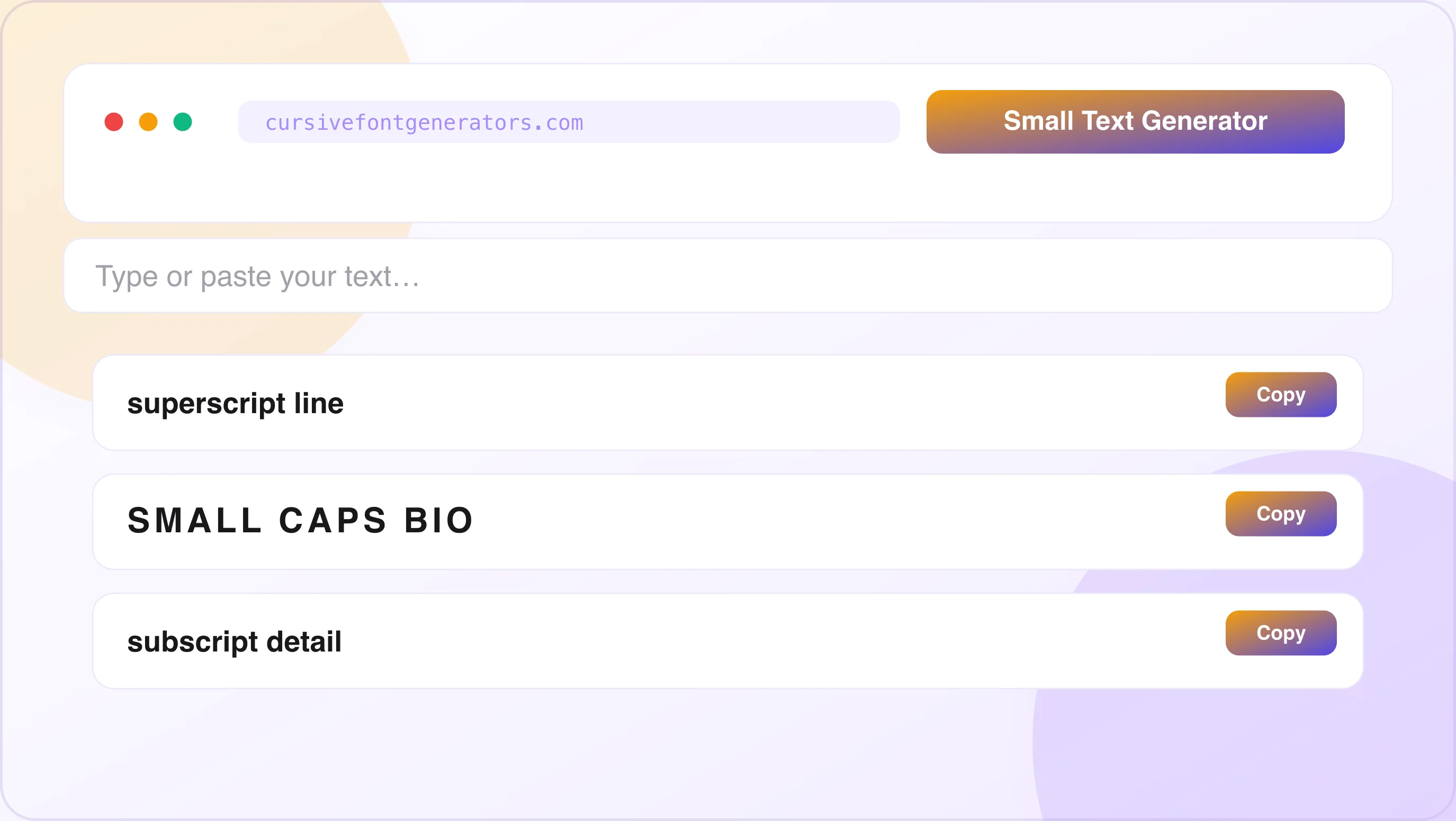
Small Text Generator
Type below and the tool instantly generates all three outputs — superscript, small caps, and subscript — in real time. Click Copy next to any style and paste it anywhere.
What Is a Small Text Generator?
A small text generator is a free online tool that converts normal-sized text into tiny Unicode characters. You type any word, name, or sentence — and the tool outputs it in small text styles you can copy and paste directly into any app, platform, or document. Like all our tools, it runs entirely in your browser — see is a cursive font generator safe? for how that works.
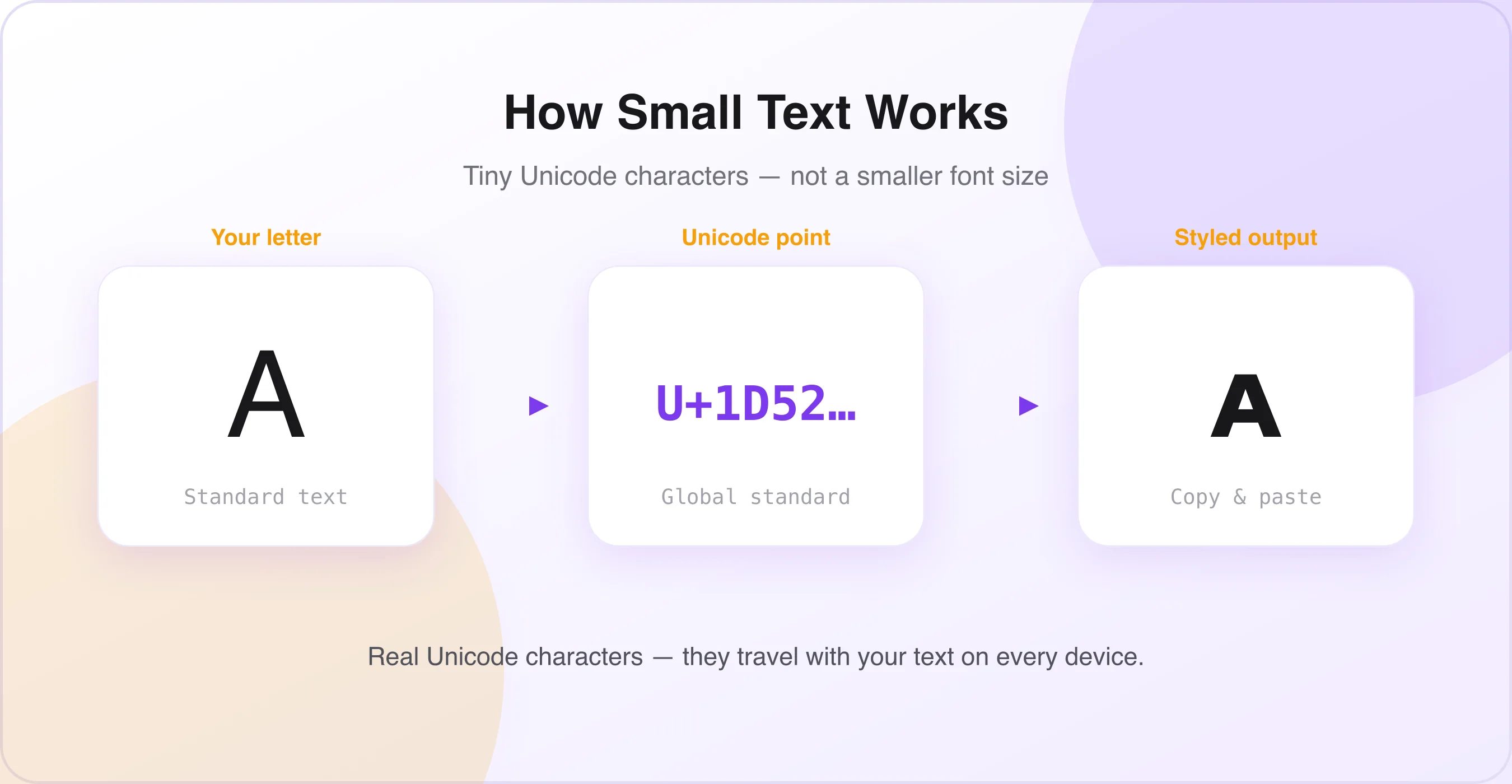
The output looks small. But it is not a smaller font size. This is the most important thing to understand about how small text generators work.
Why Small Text Is Not Just a Smaller Font Size
When you reduce your font size in Microsoft Word or Google Docs, you are making the same characters smaller. That works inside documents — but when you paste that text into Instagram, Discord, or Twitter, the platform overrides your formatting and displays everything in its own single default font size.
A small text generator works differently. These "fonts" are not actually separate fonts — they are sets of special characters from the Unicode standard. Unicode assigns a unique code to thousands of characters, including these tiny letter variations. Because they are standard text characters, you can copy and paste them almost anywhere — Facebook, Twitter, Discord, TikTok, and even in text messages.
That is why small text from a generator stays small everywhere you paste it. The characters themselves are small — they are not regular characters made smaller.
What Are the Three Small Text Styles?
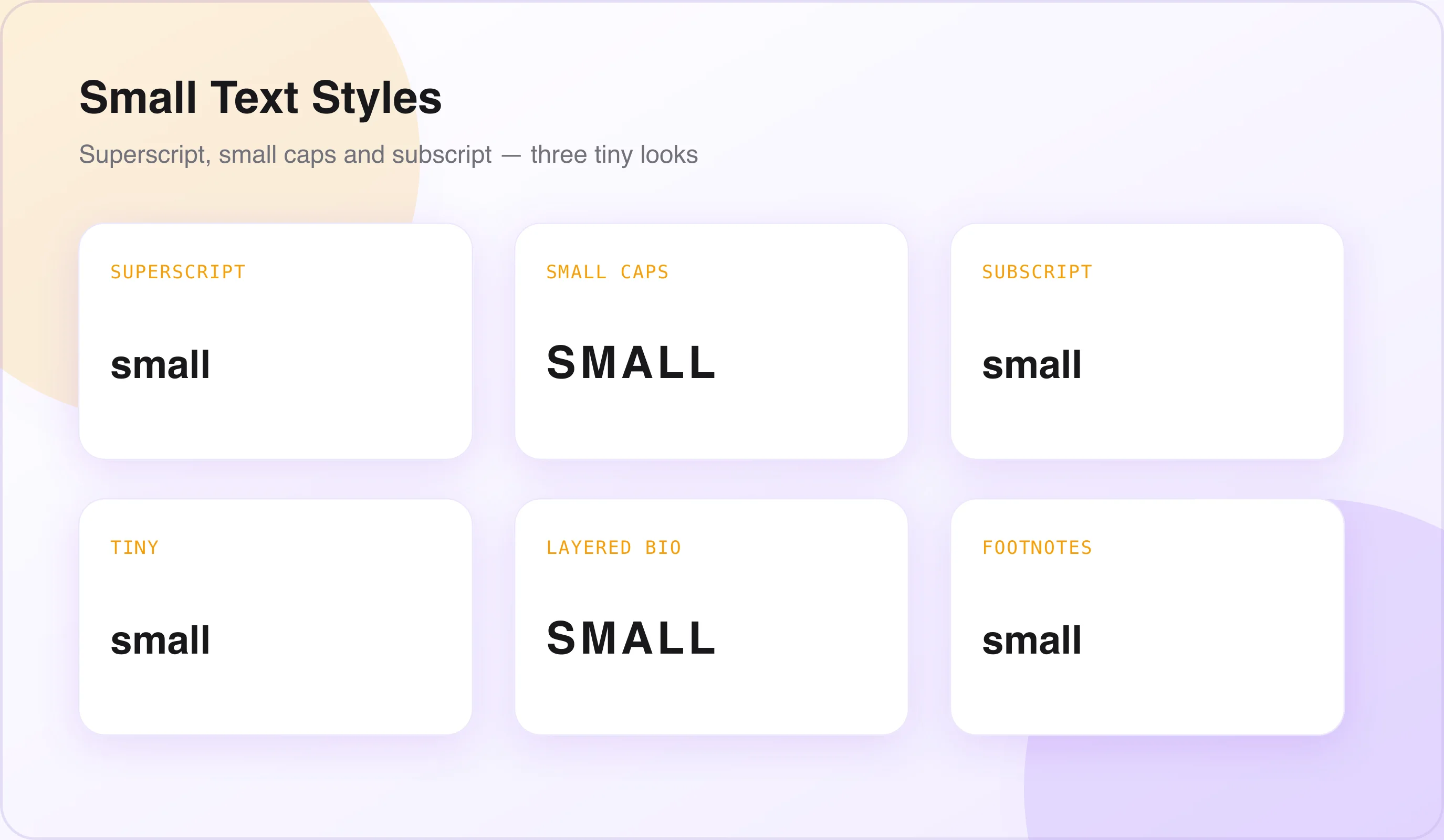
Every small text generator produces three distinct styles: superscript, small caps, and subscript. Each style has distinct visual properties and distinct best uses. The sections below cover each one in full detail.
How to Use the Small Text Generator – Step-by-Step Guide
Using the small text generator takes under 30 seconds. Here is exactly how to do it.
Open the Small Text Generator Tool
Go to the small text generator on this page. No account, login, or app download is needed. The tool works in any browser — Chrome, Safari, Firefox, Edge — on any device including phone, tablet, and desktop.
Type or Paste Your Text
Click the input field and type your text. You can type anything — your name, a bio line, a quote, a caption phrase, a mathematical expression, or any word or sentence you want to convert to small text.
See All Three Small Text Styles Instantly
The tool instantly generates all three outputs — superscript, small caps, and subscript — in real time as you type. No button press is needed. Each style appears immediately below the input field.
Choose Your Style and Click Copy
Look at the three outputs and decide which style fits your needs. Click the Copy button next to the style you want. Your small text is now on your clipboard.
Paste Anywhere
Open the platform or app where you want to use the small text. Paste it into your Instagram bio, Discord username, Twitter bio, caption, message, or document. The small text appears exactly as it looked in the generator.
The Three Small Text Styles – Full Explanation
Understanding the difference between all three small text styles helps you choose the right one for every situation.
Superscript Text — ˢᵐᵃˡˡ ᴿᵃⁱˢᵉᵈ ᴸᵉᵗᵗᵉʳˢ
What it looks like: ˢᵘᵖᵉʳˢᶜʳⁱᵖᵗ ᵗᵉˣᵗ ˡᵒᵒᵏˢ ˡⁱᵏᵉ ᵗʰⁱˢ
Superscript text is the most popular of all three small text styles. Superscript characters sit slightly above the normal text line. It is commonly used for footnotes, mathematical exponents, and scientific equations (for example, "E=mc²"). Rather than applying a font style, the tool swaps each letter, number, or symbol for its dedicated Unicode superscript character.
On social media, superscript text creates a distinctive layered visual effect — normal-sized text for main content and tiny raised text for secondary details, tags, or creative flourishes.
- Instagram bio secondary lines (e.g., ᴮᵃˢᵉᵈ ⁱⁿ ᴸᵒⁿᵈᵒⁿ)
- Discord usernames and bios
- Twitter / X display names
- Mathematical expressions (x², E=mc²)
- Ordinal numbers (1ˢᵗ, 2ⁿᵈ, 3ʳᵈ)
- Trademark and copyright in bios (ᵀᴹ, ®)
- Academic footnotes and references
Tone: Refined, elegant, intellectual. Adds a secondary-voice quality to text — like a footnote or subtitle integrated into a sentence. Important note: almost every letter of the alphabet has a good superscript alternative. It's just "i" and "q" that are missing fully from the Unicode superscript range. Most generators work around this with close alternatives, but the output may vary slightly for words containing these letters.
Small Caps Text — ꜱᴍᴀʟʟ ᴄᴀᴘꜱ ʟᴏᴏᴋꜱ ʟɪᴋᴇ ᴛʜɪs
What it looks like: ꜱᴍᴀʟʟ ᴄᴀᴘꜱ ɪꜱ ᴄʟᴇᴀɴ ᴀɴᴅ ᴇʟᴇɢᴀɴᴛ
Small caps text uses capital-letter shapes at a reduced height — sitting on the same baseline as normal text but smaller than regular uppercase letters. The tiny text generator transforms your normal text into Unicode small caps characters. It looks small because it uses a separate Unicode alphabet, not an actual smaller font size.
Small caps has a long history in professional typography. It's used in book designs, editorial layouts, luxury brand identities, and academic publishing. On social media, small caps text creates an immediately polished, editorial appearance that stands out from plain lowercase or uppercase text.
- Instagram bio — full bio in small caps looks editorial and refined
- Display names on Instagram, TikTok, Discord, and Twitter
- LinkedIn headline — professional and distinctive
- Aesthetic minimalist bios
- Fashion and luxury brand accounts
- Book and author bios
- Photography account usernames
- Pinterest board titles and descriptions
Tone: Refined, editorial, professional, elegant. Small caps gives any text a typographic quality — like it was set by a designer rather than typed by a user.
Subscript Text — ₗₒₒₖₛ ₗᵢₖₑ ₜₕᵢₛ
What it looks like: ₛᵤᵦₛ꜀ᵣᵢₚₜ ₜₑₓₜ ₛᵢₜₛ ᵦₑₗₒw ₜₕₑ ᵦₐₛₑₗᵢₙₑ
Subscript text is the opposite of superscript — the characters sit below the normal text baseline. Superscript and subscript are text styles used to display characters above or below the normal text line. They are essential for scientific, academic, and technical writing.
Subscript is less commonly used for social media than superscript or small caps, but it has strong specific use cases in academic and scientific contexts.
- Chemical formulas (H₂O, CO₂, H₂SO₄)
- Mathematical expressions and equations
- Academic writing and research references
- Physics and chemistry notation
- Scientific social media accounts
- Technical documents and presentations
Tone: Technical, scientific, precise. Subscript is the specialist of the three small text styles — highly purposeful in academic and scientific contexts, used more sparingly on social media.
Small Text Generator – Complete Unicode Alphabet Reference
Here is the full small text alphabet in all three styles. Copy any individual letter or the full alphabet set.
Superscript Alphabet
Uppercase: ᴬ ᴮ ᶜ ᴰ ᴱ ᶠ ᴳ ᴴ ᴵ ᴶ ᴷ ᴸ ᴹ ᴺ ᴼ ᴾ ᵠ ᴿ ˢ ᵀ ᵁ ᵛ ᵂ ˣ ʸ ᶻ
Lowercase: ᵃ ᵇ ᶜ ᵈ ᵉ ᶠ ᵍ ʰ ⁱ ʲ ᵏ ˡ ᵐ ⁿ ᵒ ᵖ ᵠ ʳ ˢ ᵗ ᵘ ᵛ ʷ ˣ ʸ ᶻ
Numbers: ⁰ ¹ ² ³ ⁴ ⁵ ⁶ ⁷ ⁸ ⁹
Small Caps Alphabet
Full alphabet: ᴀ ʙ ᴄ ᴅ ᴇ ꜰ ɢ ʜ ɪ ᴊ ᴋ ʟ ᴍ ɴ ᴏ ᴘ Q ʀ ꜱ ᴛ ᴜ ᴠ ᴡ x ʏ ᴢ
Subscript Alphabet
Letters: ₐ ᵦ ꜀ ᵈ ₑ ᵧ ₕ ᵢ ⱼ ₖ ₗ ₘ ₙ ₒ ₚ ᵩ ᵣ ₛ ₜ ᵤ ᵥ ₓ (a few letters such as q, w, y and z have no standard subscript form in Unicode).
Numbers: ₀ ₁ ₂ ₃ ₄ ₅ ₆ ₇ ₈ ₉
Where to Use Small Text – Platform-by-Platform Guide
Small text works across every major platform. Here is exactly how to use it on each one.
Instagram Bio
Instagram gives every user the same font, the same size, and zero formatting options for bios. A small text generator is the most effective way to create visual hierarchy inside an Instagram bio — mixing normal text with superscript or small caps creates a layered, designed look that most profiles simply don't have. Pair it with our Instagram Font Generator for the rest of your bio styling.
- Generate your small text using the tool above, then copy the style you want.
- Open Instagram → tap your profile → tap Edit Profile.
- Tap the Bio field and paste, then tap Done to save.
- Small caps (ꜱᴍᴀʟʟ ᴄᴀᴘꜱ) for a clean, editorial, full-bio treatment.
- Superscript (ˢᵘᵖᵉʳˢᶜʳⁱᵖᵗ) for secondary information — location, credentials, niche.
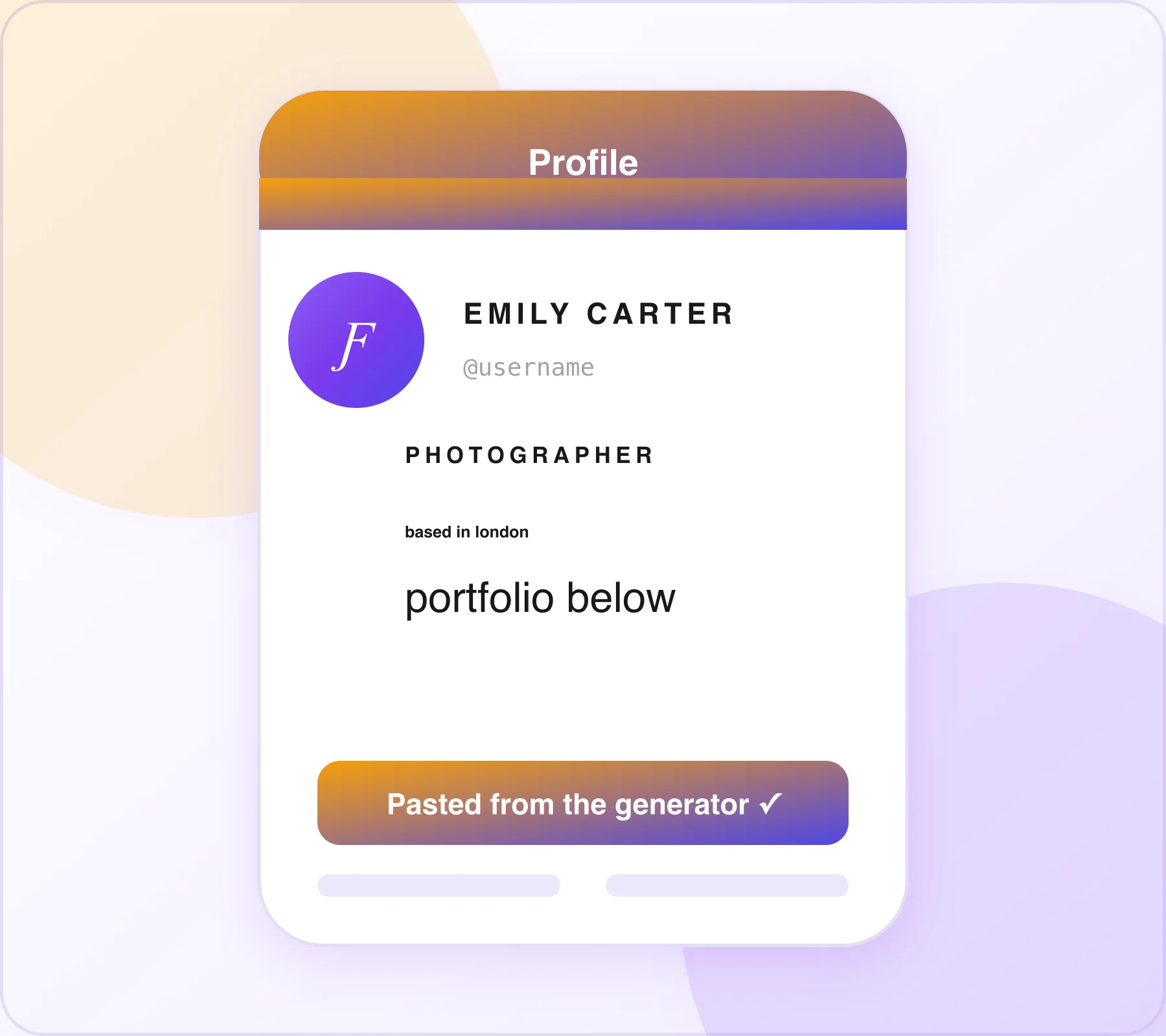
Real bio example: 𝐅𝐢𝐭𝐧𝐞𝐬𝐬 𝐂𝐨𝐚𝐜𝐡 💪 ʜᴇʟᴘɪɴɢ ʙᴜꜱʏ ᴘᴇᴏᴘʟᴇ ʟᴏꜱᴇ ᴡᴇɪɢʜᴛ — the bold title and small caps create an instant typographic hierarchy.
Discord — Username, Bio & Status
Superscript text pairs nicely for raised subtitles in usernames, Instagram bios, and Discord nicknames — for example, ⁿᵃᵐᵉ ᵐᵒᵈ style username effects are very popular in Discord communities.
- Username / Display Name: Superscript or small caps creates an immediately distinctive identity in server member lists.
- About Me bio: Mix normal and small caps text for a clean, designed look.
- Custom status: Small text adds personality without taking up too much visual space.
- Server name: A server name in small caps communicates a professional, established community aesthetic.
- Channel names: Small caps channel names (where supported) give a server a clean, intentional design.
Most popular Discord styles: small caps for server names and bios (ᴅɪꜱᴄᴏʀᴅ ꜱᴇʀᴠᴇʀ ɴᴀᴍᴇ), superscript for username role indicators (ⁿᵃᵐᵉ ᵐᵒᵈ | ⁿᵃᵐᵉ ᵃᵈᵐⁱⁿ).
Twitter / X — Bio, Display Name & Tweets
Twitter and X display every account in the same font and size. Small caps and superscript text in a Twitter bio or display name stands out immediately in a timeline where every other profile is identical.
- Display name: Small caps creates a polished, editorial identity visible on every tweet and reply.
- Bio: A small caps bio reads as intentionally designed and professional.
- Tweets: Superscript text used as a stylistic footnote in tweets adds personality.
- Pinned tweet: Small caps in the opening line creates a designed, pull-quote effect.
TikTok — Bio & Username
TikTok's bio and display name fields both support Unicode small text. Small caps is particularly popular among aesthetic, minimalist, and editorial TikTok creators.
- Full bio in small caps for a clean, consistent aesthetic identity.
- Display name combining bold Unicode with small caps for a visual hierarchy effect.
- Video captions using superscript for footnote-style commentary or secondary labels.
Reddit post text, comment sections, and user flairs all support Unicode characters. Small text finds specific useful applications in Reddit content creation. For horror or dark-aesthetic subreddits, our glitch text generator offers a more distorted alternative.
- Superscript for editorial footnotes in long posts — adding a citation or clarification inline without breaking the reading flow.
- Small caps in Reddit post titles for a professional, edited look.
- Subscript for scientific or chemistry posts where proper formula notation (H₂O, CO₂) is important.
- Username flair in small caps for a distinctive, typographically intentional look.
WhatsApp display names and About field both support Unicode small text. WhatsApp has its own bold and italic formatting within messages using asterisks and underscores — but Unicode small text adds a style that WhatsApp's own formatting cannot produce.
- Display name in small caps for a clean, professional look in contacts lists.
- About section in superscript for an elegant, subtle bio.
- Business account names using small caps to convey a professional identity.
LinkedIn is one of the best platforms for small text use alongside bold Unicode. The professional network's uniform appearance makes any typographic variation immediately eye-catching.
- Headline: Mix bold Unicode for your title with small caps for your specialty — creates clear visual hierarchy in search results.
- About section: Small caps section headers within the About field make a long bio easy to scan.
- Posts: Superscript footnote references in long-form posts for a researched, authoritative look.
Small Text Generator for Academic and Scientific Use
While most users discover small text generators for social media, the tool has important technical and academic applications.
Chemical Formulas Using Subscript Text
Subscript is essential for correct chemical formula notation. When you need to type chemical formulas in a plain text environment — a blog post, a social media caption, an email, or a document without subscript formatting — the subscript generator provides the correct characters instantly. Common formulas: H₂O, CO₂, H₂SO₄.
Mathematical Expressions Using Superscript Text
Superscript is the standard notation for exponents, powers, and mathematical expressions. The small text generator makes it easy to type these anywhere — without needing a specialized equation editor (x², E=mc²).
Academic Footnotes and References
Superscript numbers are the universal standard for footnote references in academic writing. In plain text environments — emails, blog posts, social media, and word processors without footnote tools — superscript characters work for trademark and copyright notes, such as pairing the ™ and ® symbols with small raised text in a bio or caption. For academic writers and researchers sharing work in plain text, a superscript generator gives you properly formatted reference numbers (¹, ², ³) in any text field.
Small Text Generator for Different Account Types
Different account types benefit from different small text styles. Here is a quick reference.
Personal Brand Accounts
Small caps is the strongest choice. It gives any name or tagline an editorial, typographically designed quality — the kind of look that signals you take your brand identity seriously. Recommended: ꜱᴍᴀʟʟ ᴄᴀᴘꜱ ꜰᴏʀ ᴛʜᴇ ʙɪᴏ, superscript for secondary details like location or credentials. Pair it with a bold or cursive headline — see best cursive font combinations for ideas.
Business Accounts
Professional and business accounts benefit most from small caps for bio lines and display names. The style communicates refinement and intentionality — two qualities that build instant credibility. Recommended: ꜱᴍᴀʟʟ ᴄᴀᴘꜱ for business name, service description, and call-to-action lines.
Aesthetic & Minimalist Accounts
Aesthetic accounts on Instagram and TikTok use small caps as one of their signature visual tools. A full bio in small caps — with consistent line breaks and intentional spacing — creates a calm, considered profile that immediately communicates visual taste. Recommended: full bio in ꜱᴍᴀʟʟ ᴄᴀᴘꜱ — consistency is the key.
Academic & Science Accounts
Researchers, scientists, and educators sharing work on social media benefit from subscript for chemical formulas and superscript for mathematical expressions. These characters make scientific content look correctly formatted in plain text environments. Recommended: subscript for formulas (H₂O, CO₂), superscript for exponents (x², mc²) and references (¹²³).
Small Text vs Other Unicode Text Styles – How It Compares
Small Text vs Bold Text
Bold Unicode text uses full-sized characters in a heavier weight. Small text uses smaller characters at normal or reduced weight. They serve opposite visual purposes — bold for emphasis and dominance, small text for subtlety and hierarchy. Best combined use: bold for the main headline, small caps for secondary information below it.
Small Text vs Cursive / Calligraphy Text
Cursive and calligraphy text styles are flowing, decorative, and emotional. Small text styles are structured, minimal, and typographic. They suit completely different brand tones. Choose small text when your brand is minimal, professional, editorial, or scientific. Choose cursive / calligraphy when your brand is romantic, warm, feminine, or decorative. Not sure which fits? Read how to choose the right cursive style and cursive vs script vs handwriting.
Tips for Using Small Text Effectively
Use Small Text for Secondary Information, Not Primary
Small text is most powerful as a secondary element. Use it for supporting details — location, credentials, secondary tagline, or call-to-action line — below a bold or regular-sized primary line. Using small text for everything removes the contrast that makes it work.
Small Caps Works Best for Full Bio Treatments
If you want your entire bio in a small text style, small caps is the right choice. It is the most readable of the three at small character size because the capital-letter shapes are highly legible even at reduced size. Superscript at full-bio length can feel too subtle; subscript sits too low visually.
Test on Your Phone Before Saving
Small text characters that look crisp on a desktop browser may look extremely tiny or difficult to read on a small phone screen. Always paste your small text into the target app and check it on your actual device before saving.
Combine Small Caps with Line Breaks for a Clean Layout
Small caps bios look best with consistent line breaks — one piece of information per line. Long sentences in small caps with no breaks feel crowded. Structure your bio lines to be 3–6 words each for maximum visual clarity.
Keep Searchable Keywords in Plain Text
Platform search algorithms — particularly Instagram's — may not index Unicode small text characters as the keywords they represent. If your bio contains your niche, location, or specialty, keep those words in plain text for searchability. Use small text for decorative or stylistic elements only.
Frequently Asked Questions
?What is a small text generator?+
A small text generator converts normal text into small Unicode text styles. You can copy and paste the text on social media, games, and messaging apps.
?What is the difference between superscript, small caps, and subscript?+
Superscript text appears above normal text, while subscript appears below it. Small caps look like smaller capital letters on the same line.
?Does small text copy and paste correctly on Instagram?+
Yes, small text works in Instagram bios, captions, comments, and usernames. It displays correctly on most devices and browsers.
?Can I use small text in a Discord username?+
Yes, Discord supports small text in usernames, server names, and bios. Small caps and superscript are popular choices for stylish usernames.
?Why does my superscript text show some letters differently?+
Some letters do not have perfect Unicode superscript versions. This is a Unicode limitation and not a problem with the generator.
?Can I use subscript text to type chemical formulas on social media?+
Yes, subscript text is great for writing formulas like H₂O and CO₂. It works on most social media platforms and messaging apps.
?Is the small text generator free?+
Yes, the small text generator is completely free to use. There are no sign-ups, subscriptions, or usage limits.
?Does small text affect Instagram searchability?+
Yes, small text may be harder for Instagram search to recognize. Keep important keywords in normal text for better visibility.
Conclusion
A small text generator is a simple tool that transforms ordinary text into eye-catching, layered text using Unicode characters. Whether you want a superscript footnote effect, a small caps username, or a unique social media bio, you can create and copy small text in seconds.
Since small text works on most platforms, including Discord, Instagram, TikTok, Reddit, and WhatsApp, it is an easy way to make your content stand out. Just enter your text, choose a style, copy the result, and paste it wherever you want to add a unique look.
Looking for more Unicode styles? Visit the cursive font generator homepage to explore all 100+ free tools in one place.

Written & reviewed by
Daragh Boland
Editor & Typography Specialist
Daragh Boland is the editor of Cursive Font Generator. With a background in web typography and Unicode, Daragh writes and reviews every guide on the site — covering stylish text, font pairing, and how cursive and Unicode fonts work across Instagram, TikTok, Discord and beyond.
Connect with Daragh on Facebook →More free generators
Looking for the original tool? Open the free cursive font generator or browse all guides on the blog.