Glitch Text Generator – Copy & Paste Zalgo, Corrupted & Distorted Text Free
Corrupt your text into Z̷a̸l̴g̸o̸ and glitch effects, then copy and paste it on Discord, Instagram, TikTok and gaming profiles. Free, adjustable intensity.
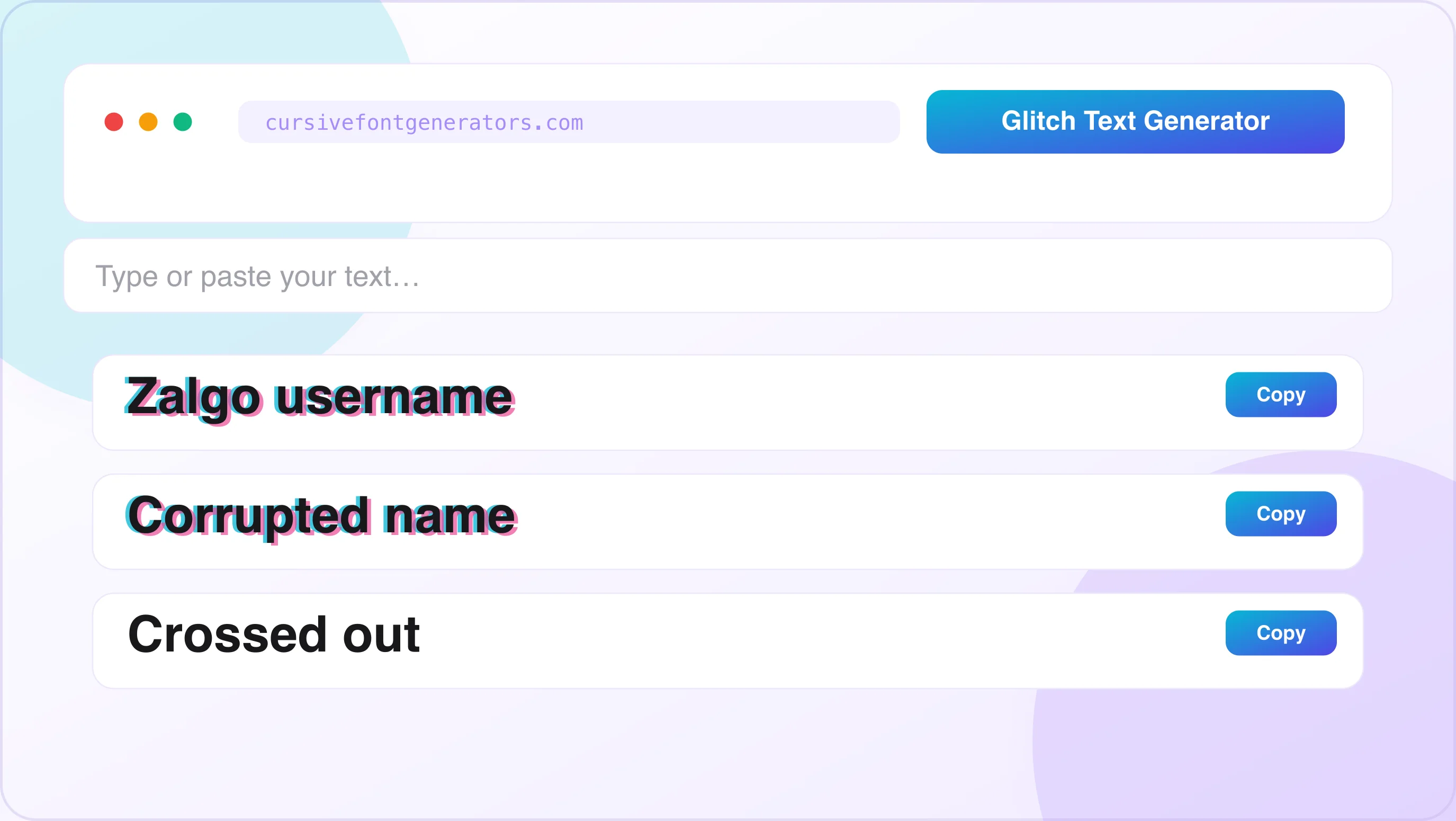
Glitch Text Generator
Type below to corrupt your text in real time. Use the Zalgo intensity control (Low / Medium / High) to dial the distortion, then copy any style and paste it anywhere Unicode is supported.
What Is a Glitch Text Generator?
A glitch text generator is a free online tool that transforms normal text into distorted, corrupted-looking text using special Unicode characters. The output looks like your text has been broken, hacked, or corrupted by a digital error — letters appear to bleed upward and downward, with strange marks and symbols crawling through every character.
The result is called Zalgo text, glitch text, corrupted text, or cursed text — different names for the same effect.
How Does Glitch Text Work? The Unicode Explanation
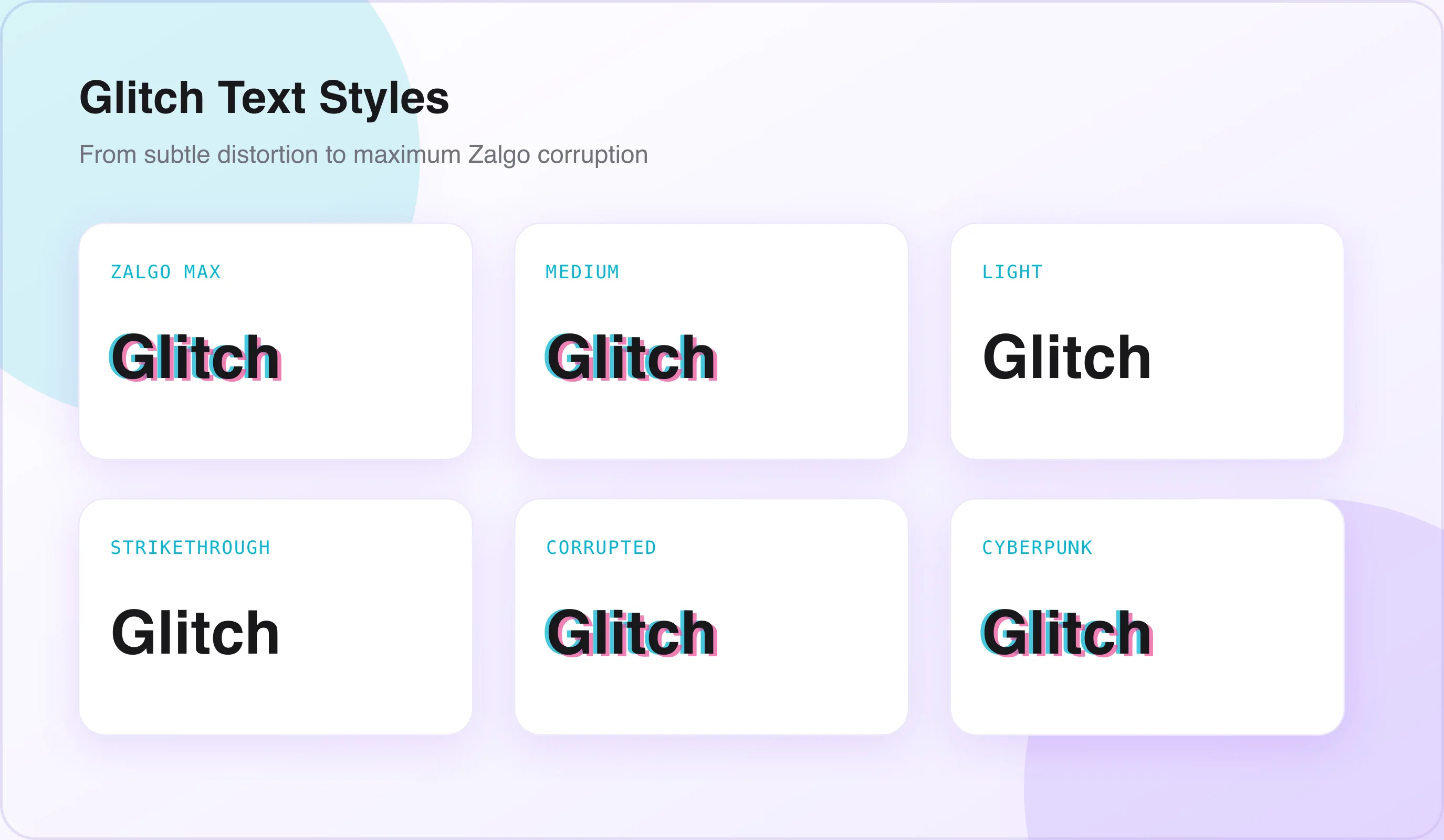
Glitch text is not a font or an image. It is real Unicode text that can be copied, pasted, selected, and shared just like normal text. If you're new to Unicode, see is a font generator safe and how Unicode works.
It works by adding special Unicode characters above and below regular letters. When many of these characters are stacked together, the text looks distorted, corrupted, or "glitched" while still remaining readable. Because it uses standard Unicode characters, glitch text works on most platforms, including Discord, Instagram, Reddit, TikTok, Twitter, and WhatsApp.
What Is Zalgo Text?
Zalgo text is a style of glitch text that makes normal words look distorted, corrupted, or creepy using special Unicode characters. It became popular through an internet horror meme created by Dave Kelly and is often associated with scary or supernatural content.
Today, Zalgo text is used for much more than horror. Gamers, streamers, social media users, and cyberpunk creators use it to make usernames, bios, captions, and messages look unique and attention-grabbing. If you're deciding between glitch and a calmer style, see how to choose the right cursive font style.
What Is the Difference Between Glitch Text and Zalgo Text?
The terms are often used interchangeably, but there is a subtle difference: both Zalgo and glitch text use Unicode combining characters — the difference is intensity. Zalgo stacks extreme amounts of combining marks for maximum distortion, while glitch text uses fewer marks for a more readable, digitally corrupted look.
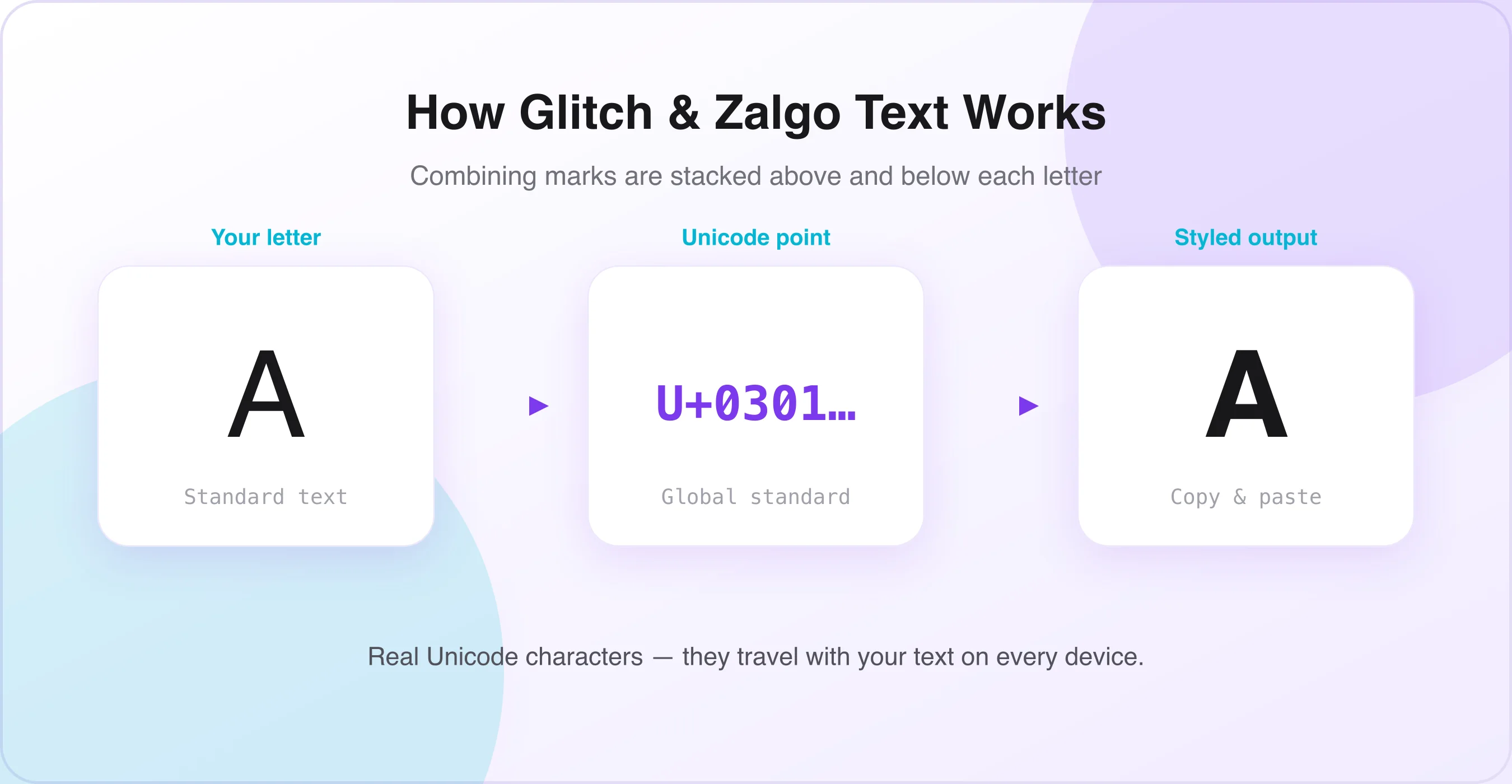
Glitch Text Styles – Every Style Explained
A powerful glitch text generator offers multiple distinct styles. Here is a full breakdown of every major glitch text style and when to use each one.
Zalgo Text – Maximum Corruption
Zalgo text is the most extreme glitch style. Characters are buried under dozens of stacked combining marks, exploding far above and below the text line. It is immediately disturbing and nearly overwhelming to read. The effect is pure horror — text that looks like it's actively breaking the screen it's displayed on.
Medium Glitch Text – Digital Corruption
Medium glitch text uses a controlled number of combining characters. The output looks digitally corrupted — like a computer error or a damaged file — rather than full horror chaos. Individual letters are still readable, but each one is visibly distorted. This is the most versatile glitch text style.
Light Glitch Text – Subtle Distortion
Light glitch text adds a minimal number of combining characters — just enough to give the text a distorted feel without making it hard to read. It looks like text that's almost normal but slightly off. This is the best style for users who want the glitch aesthetic without sacrificing readability.
Strikethrough Glitch Text
Strikethrough glitch text places a horizontal line through every letter — mimicking text that has been crossed out, deleted, or censored. It's one of the most readable glitch styles while still creating an instantly distinctive visual effect.
Corrupted / Void Text
Corrupted text uses combining characters that produce short horizontal strokes and dots, mimicking analog TV static or digital noise. The effect is more scattered and chaotic than Zalgo, making it ideal for retro or VHS aesthetic content.
Cyberpunk Glitch Text
Cyberpunk glitch text combines distortion with a futuristic, neon-lit aesthetic. It's less focused on horror and more on the visual language of hacking, digital warfare, and dystopian technology. Common in gaming, electronic music, and tech-adjacent creative communities.
How to Use the Glitch Text Generator – Step-by-Step Guide
Generating glitch text takes under 30 seconds. Here's exactly how to do it.
Open the Glitch Text Generator
Go to the glitch text generator tool on this page. No account or download is needed. The tool runs entirely in your browser and works on any device — phone, tablet, or desktop.
Type Your Text Into the Input Field
Click the input field and type the word, name, phrase, or sentence you want to glitch. Keep in mind that very long texts at maximum Zalgo intensity become difficult to read. For maximum impact, shorter phrases and names work best at high intensity levels.
Choose Your Glitch Intensity
Select your distortion level. Most glitch text generators offer at minimum three levels: Low / Light — subtle distortion, mostly readable; Medium — clearly corrupted, partially readable; High / Zalgo — extreme chaos, barely readable. The more the craziness level is increased, the more garbled your text looks. Start at medium and adjust from there based on how you plan to use the text.
Preview and Select Your Glitch Style
Browse the style previews. Different glitch styles produce different visual characters — Zalgo focuses on vertical overflow, strikethrough focuses on horizontal marks, corrupted text scatters marks randomly. Pick the style that matches your intended use.
Click Copy and Paste Anywhere
Click the Copy button next to your chosen style. Open the platform where you want to use the glitch text and paste. The distorted effect travels with the text to every platform that supports Unicode — which is virtually everywhere.
Where to Use Glitch Text – Platform-by-Platform Guide
Glitch text works differently across platforms. Here is a complete guide to using it effectively on every major platform.
Discord — Username, Bio & Server Name
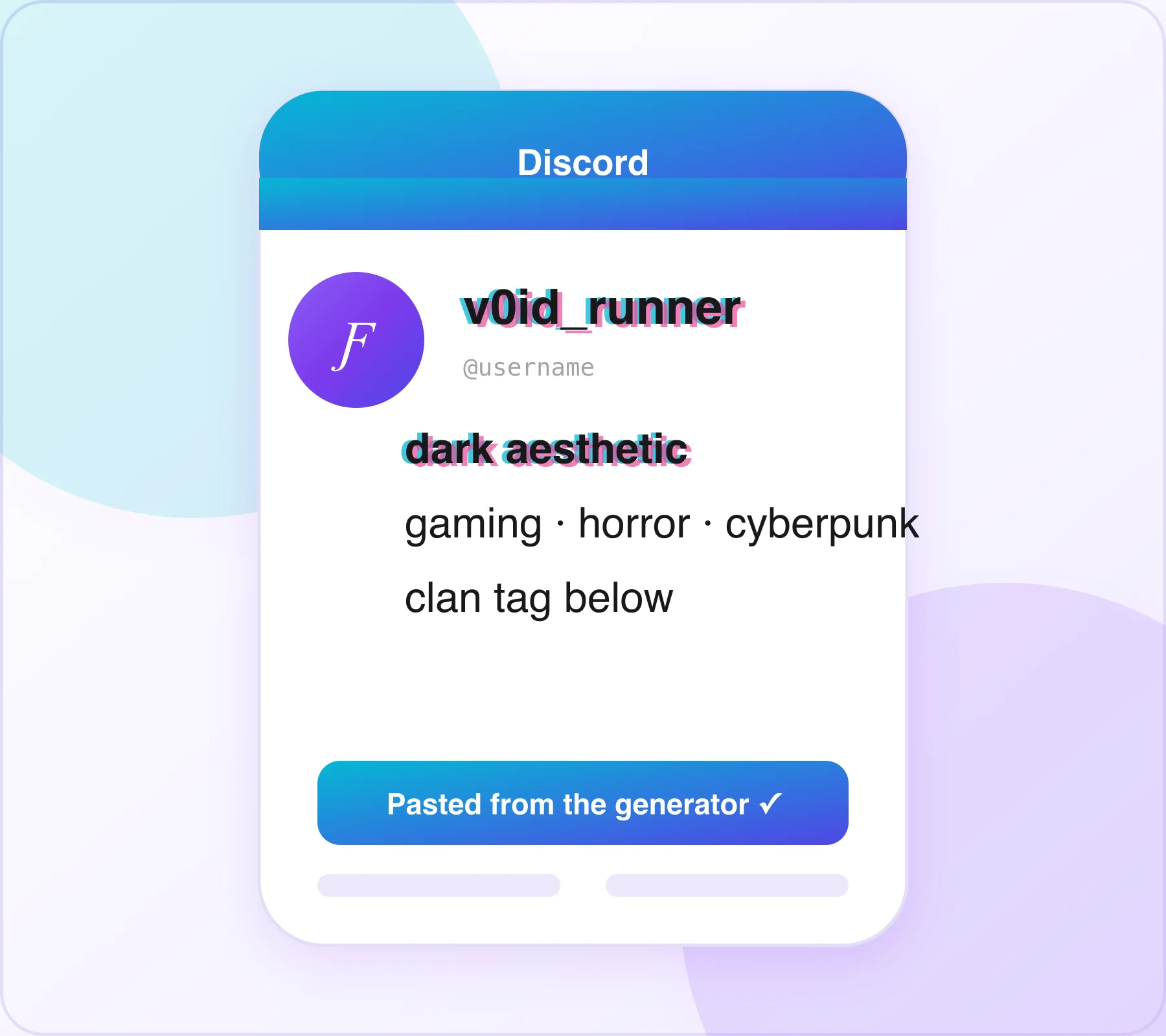
Discord is the single most popular platform for glitch text. Glitch text works in Discord usernames, bios, server names, and messages — making it the go-to platform for gamers and dark aesthetic communities who want a distinctive profile identity.
- Username / Display Name: A glitch text username makes you stand out in every server member list, every message thread, and every mention.
- About Me bio: Paste glitch text into your Discord About Me section for an unsettling introduction.
- Server name: Dark aesthetic, horror, or gaming servers use glitch text in the server name for immediate tonal impact.
- Custom status: Your Discord status message can use glitch text for personality.
- Messages: Paste glitch text into chat messages for a dramatic or comedic effect.
Medium glitch or cyberpunk glitch for usernames (keeps the name somewhat readable). Full Zalgo for shock-value purposes. Strikethrough for a clean, subversive look. Important: very heavy Zalgo text in a Discord username can push text in member lists out of alignment — test at medium intensity first.
Instagram — Bio, Captions & Username
Instagram fully supports Unicode glitch text. It works in your bio, display name, and captions — pair it with our Instagram Font Generator for more bio styling options.
Horror fiction authors and creepypasta content creators use Zalgo text in their social media bios, book promo graphics, and chapter teasers to set an unsettling tone before readers even engage with the content.
- Bio: A light or medium glitch text style in your bio creates an immediately distinctive profile aesthetic — dark, edgy, cyberpunk, or horror-adjacent.
- Display name: Your Instagram display name (not your @handle) can use glitch text characters.
- Captions: A glitch text hook in the opening line of a caption stops people mid-scroll — the visual disruption is impossible to ignore.
- Highlight titles: Short Zalgo or glitch text words in highlight titles give your profile a consistently dark or cyberpunk aesthetic.
Light or strikethrough glitch for bios (preserves readability). Medium glitch for caption hooks. Reserve full Zalgo for deliberately terrifying content.
Twitter / X
Twitter and X fully support Unicode glitch text in bios, display names, and tweets. A glitch text display name is immediately visible in every tweet, reply, and mention — giving your account a persistent visual identity.
- Use light or medium glitch intensity in your display name so it remains readable in mentions.
- Use full Zalgo for deliberately unsettling or viral-bait tweet content.
- Strikethrough glitch text works particularly well for ironic or satirical tweets.
- For maximum impact in a tweet, glitch just the first word or phrase — the contrast with plain text amplifies the effect.
Reddit comments, post titles, and usernames all support Unicode glitch text. Reddit's horror communities — r/nosleep, r/creepypasta, r/horror — are prime environments for glitch text use.
- Creepypasta story titles and opening lines in glitch text immediately signal the genre.
- Horror subreddit usernames in Zalgo style fit the community aesthetic perfectly.
- Glitch text in AMAs or discussion posts can serve as a compelling visual hook.
- Community names and post flairs (where supported) can use subtle glitch text.
TikTok
TikTok's bio and display name fields support Unicode glitch text. DJs, electronic music producers, and visual artists use glitch text to match a cyberpunk or retro-futuristic aesthetic — and the same applies to TikTok for music and art creators.
- Bio lines in light or medium glitch text for a consistently edgy or dark profile aesthetic.
- Display name in glitch text for immediate visual recognition across For You page appearances.
- Video caption opening lines in subtle glitch text for horror, gaming, or dark aesthetic content.
Gaming Profiles
Gaming profiles — Steam, Epic Games, Xbox Live, PlayStation Network, Roblox, and Fortnite — all support Unicode characters to varying degrees, making glitch text usernames highly popular in gaming communities.
Medium glitch or light glitch keeps your username readable in game kill feeds, leaderboards, and chat logs while still looking completely distinctive.
Glitch Text for Specific Use Cases and Communities
Glitch Text for Horror and Creepypasta Content
The horror and creepypasta community is where glitch text originated, and it remains the most authentic use of the style. Zalgo text in horror content signals a specific genre and subculture immediately.
- Story titles: A horror story or creepypasta titled in Zalgo text creates dread before the first sentence.
- Author bio: A creepypasta author's bio in full Zalgo text is a statement of identity within the community.
- Chapter headings: Escalating glitch intensity as a story progresses mirrors the story's descent into horror.
- Social media teasers: Posting a glitch text excerpt creates engagement and curiosity.
- Reddit r/nosleep posts: Glitch text usernames are a recognized aesthetic signal in horror communities.
Glitch Text for Gamers and Gaming Clans
Gaming clans, eSports teams, and competitive gaming communities use glitch text for names, bios, and branding. A clan name or gamertag in medium glitch text is immediately memorable and distinctive in any game lobby or Discord server.
- Use medium intensity so your name is readable in kill feeds and leaderboards.
- Test the name in the actual game or platform before committing — some platforms strip certain Unicode ranges.
- Short names (4–8 characters) work better than long names at higher glitch intensities.
- Pair glitch text username with matching Discord server name for consistent clan branding.
Glitch Text for Streamers and Content Creators
DJs and electronic music producers use glitch text in event flyers and descriptions to match a cyberpunk aesthetic. The same applies to streamers, YouTubers, and any creator building a cyberpunk, dark, or horror aesthetic brand. For subtler accents, our small text generator adds delicate superscript details without full-on distortion.
- Channel name: A light glitch effect on a YouTube or Twitch channel name gives it a technological, corrupted aesthetic.
- Stream overlays: Glitch text in streaming overlays (added via OBS or Streamlabs using custom text layers) creates a cyberpunk visual theme.
- Social media bio: Platform bios in glitch text create a consistent aesthetic across every platform.
- Thumbnail text: Glitch text in video thumbnails signals specific content genres (horror, gaming, dark commentary).
Glitch Text for Halloween and Seasonal Content
Glitch and Zalgo text see a massive traffic spike every October. Halloween content creators, horror event organizers, and seasonal brands use glitch text for Halloween event announcements, spooky social media bios and captions during October, horror-themed giveaway posts, costume and decoration content, and seasonal Discord server themes.
Glitch Text Generator vs Other Dark Text Styles
Understanding how glitch text compares to similar styles helps you choose the right tool for the right purpose.
Glitch Text vs Strikethrough Text
Strikethrough text places a line through every letter — creating a crossed-out, deleted, or censored appearance. It's part of the glitch text family but is significantly more readable and less extreme than Zalgo. Choose glitch text when you want maximum visual disruption and a horror or cyberpunk aesthetic. Choose strikethrough text when you want a clean, subversive look that's easy to read — ironic captions, satirical posts, or a subtle edgy bio.
Glitch Text vs Gothic / Blackletter Text
Gothic Blackletter text is a calligraphy-derived style that looks dark and dramatic but is fully readable. It communicates historical power and darkness through design. Glitch text communicates digital corruption and chaos through distortion. Choose Gothic text when you want dark and powerful but still readable and controlled. Choose glitch text when you want unsettling, distorted, and visually chaotic.
Tips for Using Glitch Text Effectively
Generating glitch text is instant. Using it well takes a little thought.
Match Intensity to Readability Needs
The higher the glitch intensity, the less readable the text becomes. Full Zalgo is terrifying but nearly unreadable. For usernames and bios where people need to actually identify you, use light or medium intensity. Reserve maximum Zalgo for content where readability is secondary to impact.
Test Glitch Text on the Target Platform First
Not every platform renders all Unicode combining characters identically. Platform behavior changes frequently as apps update their text rendering. Before committing a glitch text username or bio, paste the text into the platform, check how it renders, and adjust the intensity or style if needed.
Keep Glitch Text Short for Maximum Impact
Glitch text is most powerful in short bursts — a name, a word, a phrase. Long sentences at high glitch intensity become visual noise rather than visual impact. Use glitch text for headlines, names, and hooks. Use plain text for the body of any longer message.
Use Glitch Text Seasonally for Traffic Spikes
If you run a content account, scheduling glitch text content in your captions and bios around October massively amplifies its reach. Halloween, horror, and dark content sees a 3–5x search traffic increase in September and October.
Combine Glitch Text with Plain Text for Contrast
The most effective glitch text use creates contrast. One word in Zalgo at the start of a plain text caption hits harder than a full caption in glitch text. Try pairing it with our bold text generator for the plain-text portion to keep the contrast sharp. Contrast is what makes the distortion visually powerful.
Frequently Asked Questions
?What is a glitch text generator?+
A glitch text generator converts normal text into distorted, corrupted-looking Unicode text. The generated text can be copied and pasted on social media, gaming platforms, and messaging apps.
?Is glitch text the same as Zalgo text?+
Zalgo text is a heavily distorted form of glitch text. While the terms are often used interchangeably, glitch text can range from subtle to extreme effects.
?Does glitch text work on all platforms?+
Yes, glitch text works on most platforms that support Unicode characters. This includes Discord, Instagram, TikTok, Reddit, WhatsApp, and many other websites.
?Can I remove glitch text and convert it back to normal?+
Yes, many glitch text generators include a reverse tool. It removes the special Unicode characters and restores readable text.
?Does glitch text affect how platforms index my bio for search?+
Yes, excessive glitch characters can reduce keyword readability for search systems. It is best to keep important keywords in plain text.
?What is the origin of Zalgo and glitch text?+
Zalgo originated from an internet horror meme and online creepypasta culture. The text effect later became popular as a decorative Unicode style.
?Is there a character limit for glitch text?+
The glitch text generator itself usually has no character limit. However, each platform may have its own posting or bio character restrictions.
?Can I use glitch text in a Discord server name?+
Yes, Discord supports glitch text in server names, usernames, bios, and messages. Medium or light glitch effects are easier for members to read.
Conclusion
A glitch text generator is one of the easiest ways to make your text stand out online. Whether you want creepy Zalgo text, a cyberpunk username, a gaming clan tag, or eye-catching social media captions, you can create unique glitch effects instantly without downloading any software or installing special fonts.
Simply type your text, choose your preferred glitch style, copy the result, and paste it anywhere Unicode characters are supported. From Discord and Instagram to TikTok and gaming profiles, glitch text adds a bold digital aesthetic that grabs attention and gives ordinary text a completely different look.
Pairing glitch with a calmer accent? See best cursive font combinations for ideas, or head back to the cursive font generator homepage to explore every free Unicode tool on the site.

Written & reviewed by
Daragh Boland
Editor & Typography Specialist
Daragh Boland is the editor of Cursive Font Generator. With a background in web typography and Unicode, Daragh writes and reviews every guide on the site — covering stylish text, font pairing, and how cursive and Unicode fonts work across Instagram, TikTok, Discord and beyond.
Connect with Daragh on Facebook →More free generators
Looking for the original tool? Open the free cursive font generator or browse all guides on the blog.